
Bottle部署web服务及postman接口的方法
- 作者: 孤寂de心
- 来源: 51数据库
- 2021-08-21
bottle是一个快速、简洁、轻量级的基于wsig的微型web框架,此框架只由一个 .py 文件,除了python的标准库外,其不依赖任何其他模块。
from bottle import route, request, run
import requests
import cv2
import numpy as np

@route('/testimg',method='post')#
def testimg():
 try:
  #获取对应params值
  result = {}
  result["name"] = request.query.name#
  result["nums"] = request.query.nums

  #获取json对应内容
  #print(request.json)
  urllist = request.json["urllist"]
  #print(type(urllist))
  #print(urllist)
  imgpath = []
  for i in range(len(urllist)):
   imgpath.append(urllist[i])

  for i in range(len(imgpath)):
   #print(imgpath[i])
   #基于url获取数据
   rev = requests.get(imgpath[i], verify=false) # , timeout=config.timeout
   img = cv2.imdecode(np.frombuffer(rev.content, np.uint8), cv2.imread_color) # 直接解码网络数据,获得bgr图片
  rec = 0

  return str(rec)
 except baseexception as e:
  logger.exception(e)
  return str(0)

if __name__ == "__main__":

 run(host='172.17.0.2', port=49166, debug=false)
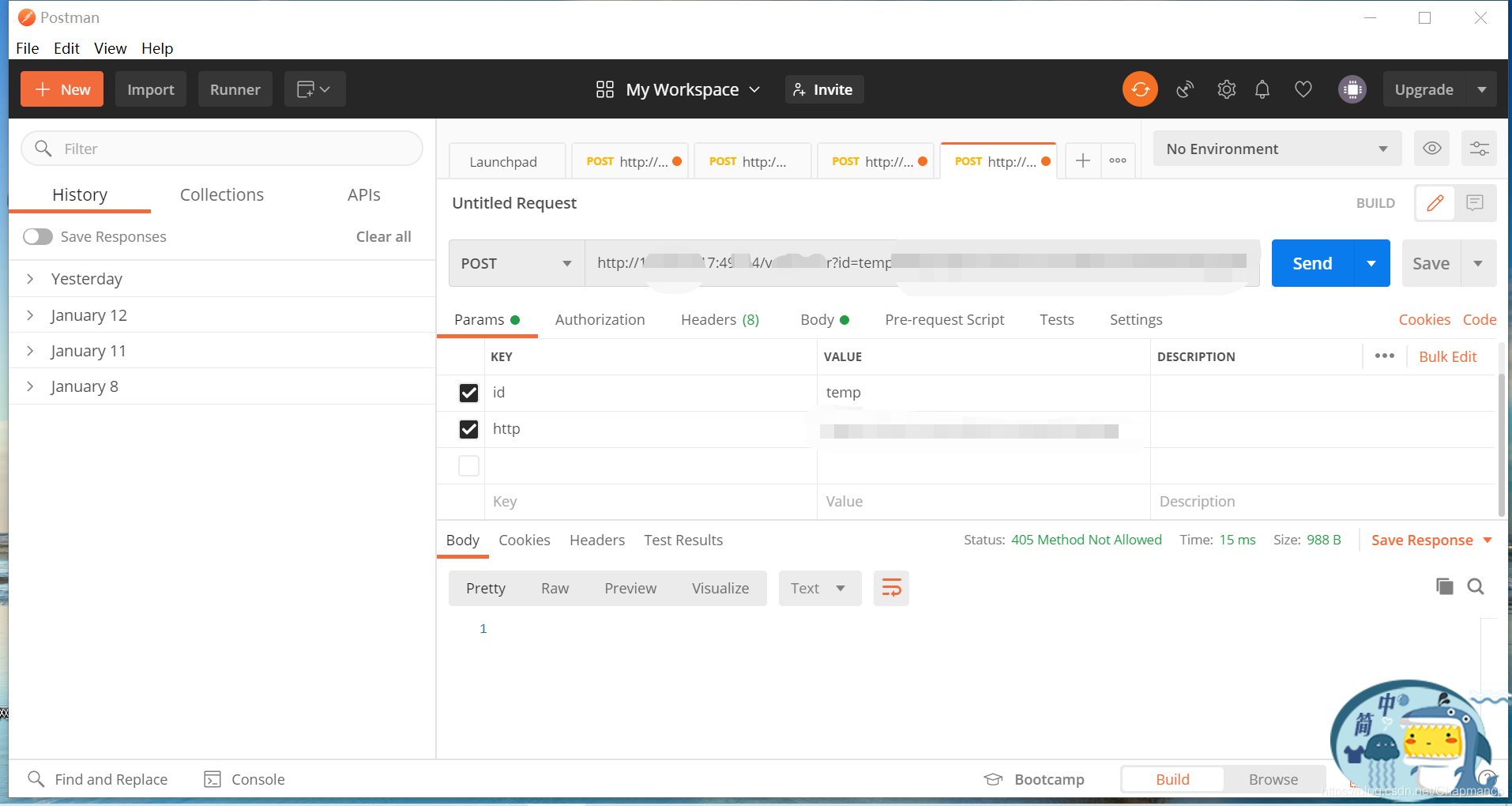
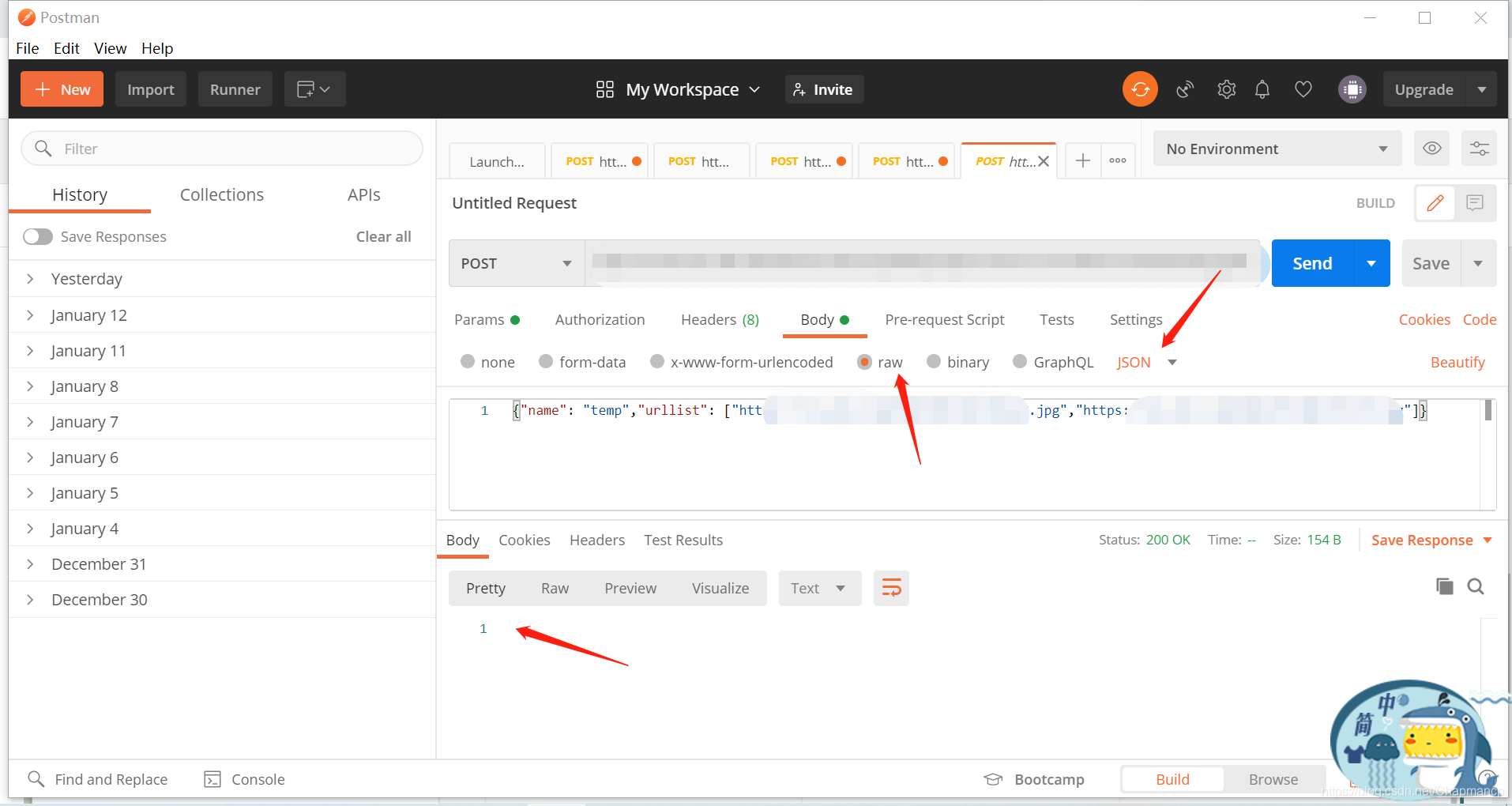
postman接口测试。
params传递参数。
body传递json等文本数据。
到此这篇关于bottle部署web服务及postman接口的方法的文章就介绍到这了,更多相关bottle部署web服务postman接口内容请搜索以前的文章或继续浏览下面的相关文章希望大家以后多多支持!
推荐阅读

