
一个非常轻量级的 Web API Demo
- 作者: 我等他
- 来源: 51数据库
- 2021-08-13
一个非常轻量级的 web api demo,代码量很少,实现了方法拦截器,token校验,异常拦截器,缓存
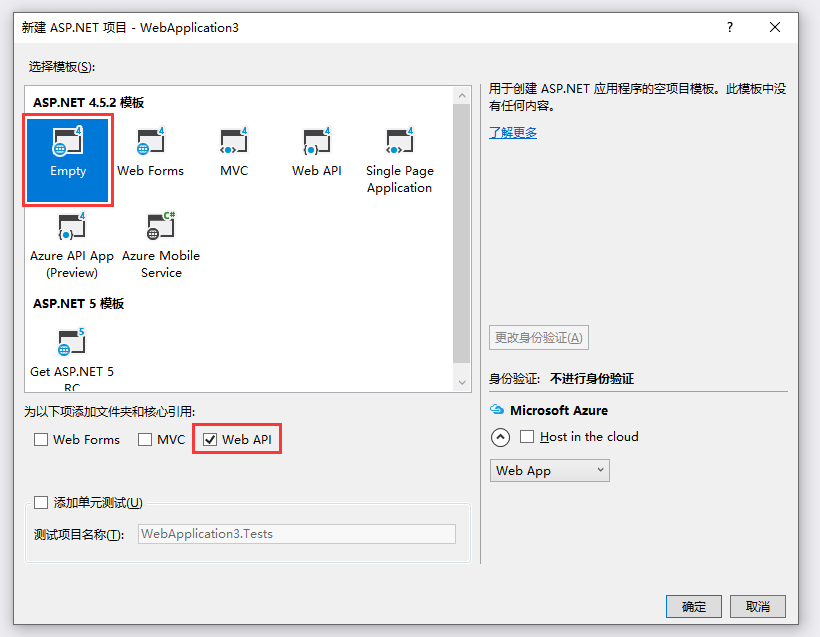
创建项目:如果选择web api,项目中东西会比较多,这里选择empty,把下面的web api勾上,mvc不要勾
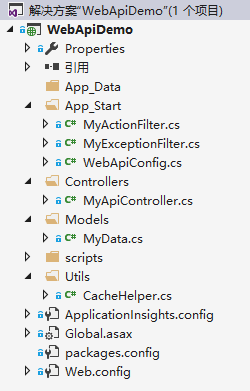
项目目录结构:
global.asax.cs代码:这里配置方法拦截器和异常拦截器
using system;
using system.collections.generic;
using system.linq;
using system.web;
using system.web.http;
using system.web.routing;

namespace webapidemo
{
    public class webapiapplication : system.web.httpapplication
    {
        protected void application_start()
        {
            globalconfiguration.configuration.filters.add(new myexceptionfilter());
            globalconfiguration.configuration.filters.add(new myactionfilter());
            globalconfiguration.configure(webapiconfig.register);
        }
    }
}
myactionfilter拦截器代码:
using newtonsoft.json;
using system;
using system.collections.generic;
using system.linq;
using system.net.http;
using system.text;
using system.web;
using system.web.http.controllers;
using system.web.http.filters;

namespace webapidemo
{
    public class myactionfilter : actionfilterattribute
    {
        public override void onactionexecuting(httpactioncontext actioncontext)
        {
            object value;
            if (actioncontext.actionarguments.trygetvalue("token", out value))
            {
                if (value.tostring() != "000")
                {
                    var errmsg = new
                    {
                        errormsg = "token不匹配"
                    };

                    string str = jsonconvert.serializeobject(errmsg);
                    httpresponsemessage result = new httpresponsemessage { content = new stringcontent(str, encoding.utf8, "application/json") };
                    actioncontext.response = result;
                }
            }

            base.onactionexecuting(actioncontext);
        }
    }
}
myexceptionfilter拦截器代码:
using newtonsoft.json;
using system;
using system.collections.generic;
using system.linq;
using system.net.http;
using system.text;
using system.web;
using system.web.http.filters;

namespace webapidemo
{
    public class myexceptionfilter : exceptionfilterattribute
    {
        //重写基类的异常处理方法
        public override void onexception(httpactionexecutedcontext actionexecutedcontext)
        {
            var errmsg = new
            {
                errormsg = "拦截到异常:" + actionexecutedcontext.exception.message
            };

            string str = jsonconvert.serializeobject(errmsg);
            httpresponsemessage result = new httpresponsemessage { content = new stringcontent(str, encoding.utf8, "application/json") };
            actionexecutedcontext.response = result;

            base.onexception(actionexecutedcontext);
        }
    }
}
一个简单的缓存工具类:
using system;
using system.collections.generic;
using system.linq;
using system.web;
using system.web.caching;

namespace webapidemo
{
    public class cachehelper
    {
        #region 获取并缓存数据
        /// <summary>
        /// 获取并缓存数据
        /// </summary>
        /// <param name="cachekey">键</param>
        /// <param name="func">在此方法中初始化数据</param>
        /// <param name="expirationseconds">缓存过期时间</param>
        public static t getvalue<t>(string cachekey, func<t> func, int expirationseconds = 0)
        {
            object cachevalue = httpruntime.cache.get(cachekey);
            if (cachevalue != null)
            {
                return (t)cachevalue;
            }
            else
            {
                t value = func();
                httpruntime.cache.insert(cachekey, value, null, datetime.now.addseconds(expirationseconds), cache.noslidingexpiration);
                return value;
            }
        }
        #endregion

    }
}
控制器myapicontroller.cs代码:
using newtonsoft.json;
using system;
using system.collections.generic;
using system.linq;
using system.net;
using system.net.http;
using system.text;
using system.web.http;
using webapidemo.models;

namespace webapidemo.controllers
{
    [routeprefix("api/myapi")]
    public class myapicontroller : apicontroller
    {
        [httpget]
        [route("getaction")]
        public httpresponsemessage getaction(string token, string param)
        {
            var obj = new
            {
                param = param
            };

            return tojson(obj);
        }

        [httppost]
        [route("postaction")]
        public httpresponsemessage postaction(string token, string param, [frombody] mydata data)
        {
            random rnd = new random();
            int d = cachehelper.getvalue<int>("mycachekey1", () =>
            {
                return rnd.next(1, 10000);
            }, 20);

            var obj = new
            {
                param = param,
                data = data,
                cache = d.tostring()
            };

            return tojson(obj);
        }

        [httpget]
        [route("erroraction")]
        public httpresponsemessage erroraction(string token, string param)
        {
            var obj = new
            {
                param = param
            };

            int a = convert.toint32("abc");

            return tojson(obj);
        }

        private httpresponsemessage tojson(object obj)
        {
            string str = jsonconvert.serializeobject(obj);
            httpresponsemessage result = new httpresponsemessage { content = new stringcontent(str, encoding.utf8, "application/json") };
            return result;
        }
    }
}
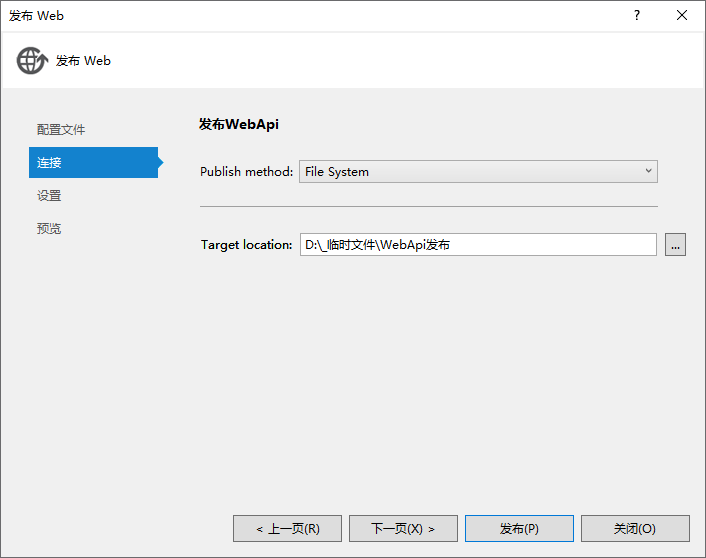
发布:
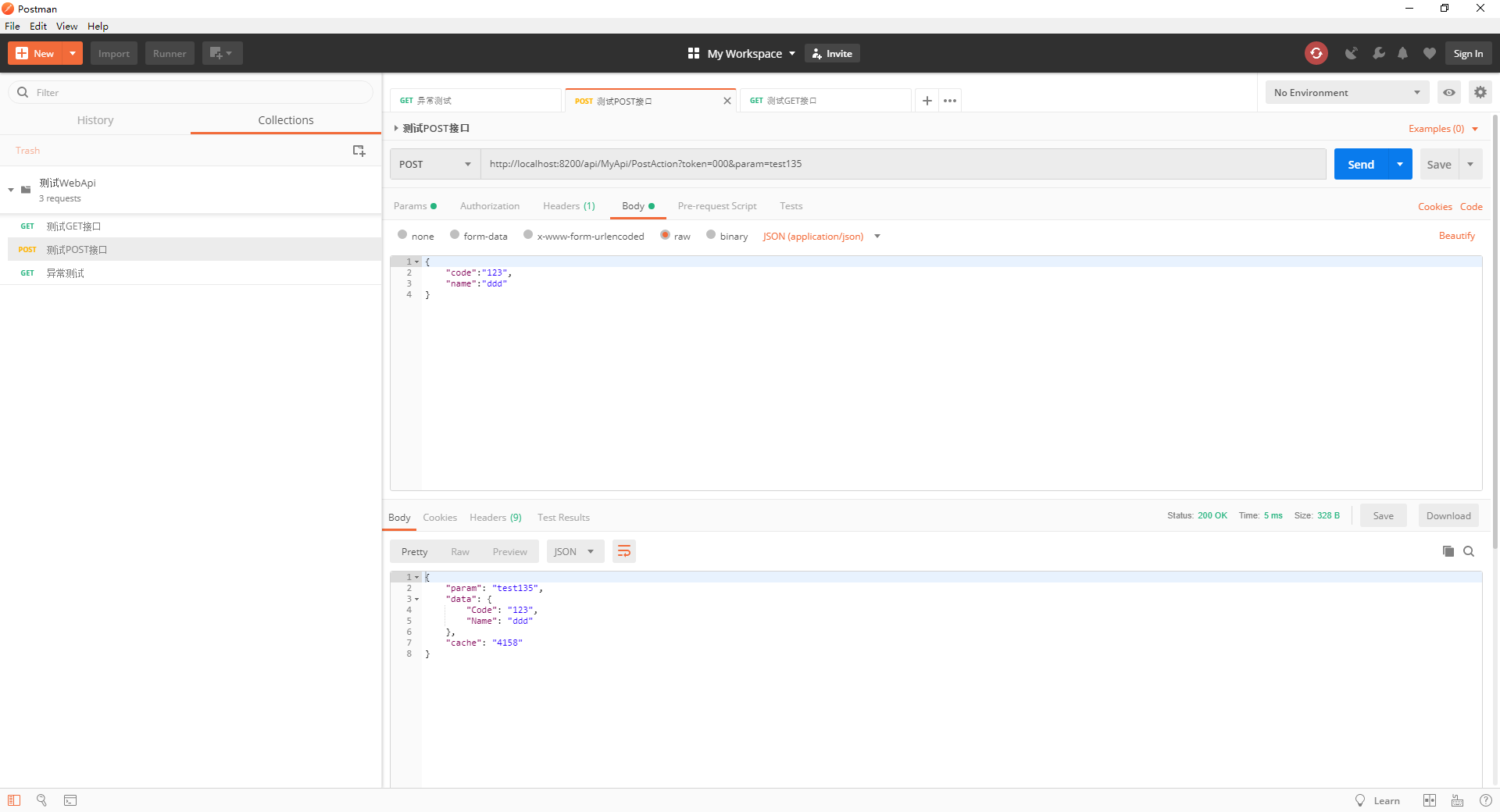
部署在iis,用postman测试:
推荐阅读

