
asp.net core 腾讯验证码的接入示例代码
- 作者: 机智的男票灬
- 来源: 51数据库
- 2021-09-03
intro
之前使用的验证码服务是用的极验验证,而且是比较旧的,好久之前接入的,而且验证码服务依赖 session,有点不太灵活,后来发现腾讯也有验证码服务,而且支持小程序,并且是唯一支持小程序的验证码。。(垄断么。。)
而且相比之下,腾讯验证码不需要依赖 session,集成起来也比较方便,于是就用了腾讯验证码,详细参考:https://007.qq.com/product.html?adtag=index.block
验证流程
服务器端接入
using system.componentmodel.dataannotations;
using system.net.http;
using system.threading.tasks;
using microsoft.extensions.logging;
using microsoft.extensions.options;
using newtonsoft.json;
using weihanli.extensions;

namespace activityreservation.common
{
  public class tencentcaptchaoptions
  {
    /// <summary>
    /// 客户端appid
    /// </summary>
    [required]
    public string appid { get; set; }

    /// <summary>
    /// app secret key
    /// </summary>
    [required]
    public string appsecret { get; set; }
  }

  public class tencentcaptcharequest
  {
    /// <summary>
    /// 验证码客户端验证回调的票据
    /// </summary>
    public string ticket { get; set; }

    /// <summary>
    /// 验证码客户端验证回调的随机串
    /// </summary>
    public string nonce { get; set; }

    /// <summary>
    /// 提交验证的用户的ip地址(eg: 10.127.10.2)
    /// </summary>
    public string userip { get; set; }
  }

  public class tencentcaptchahelper
  {
    private class tencentcaptcharesponse
    {
      /// <summary>
      /// 1:验证成功,0:验证失败,100:appsecretkey参数校验错误
      /// </summary>
      [jsonproperty("response")]
      public int code { get; set; }

      /// <summary>
      /// 恶意等级 [0, 100]
      /// </summary>
      [jsonproperty("evil_level")]
      public string evillevel { get; set; }

      /// <summary>
      /// 错误信息
      /// </summary>
      [jsonproperty("err_msg")]
      public string errormsg { get; set; }
    }

    private const string tencentcaptchaverifyurl = "http://www.51sjk.com/Upload/Articles/1/0/288/288711_20210728105825204.jpg";
    private readonly tencentcaptchaoptions _captchaoptions;
    private readonly ilogger _logger;
    private readonly httpclient _httpclient;

    public tencentcaptchahelper(
      ioptions<tencentcaptchaoptions> option,
      ilogger<tencentcaptchahelper> logger,
      httpclient httpclient)
    {
      _captchaoptions = option.value;
      _logger = logger;
      _httpclient = httpclient;
    }

    public async task<bool> isvalidrequestasync(tencentcaptcharequest request)
    {
      // 参考文档:http://www.51sjk.com/Upload/Articles/1/0/288/288711_20210728105825220.jpg
      var response = await _httpclient.getasync(
        $"{tencentcaptchaverifyurl}?aid={_captchaoptions.appid}&appsecretkey={_captchaoptions.appsecret}&ticket={request.ticket}&randstr={request.nonce}&userip={request.userip}");
      var responsetext = await response.content.readasstringasync();
      if (responsetext.isnotnullorempty())
      {
        _logger.debug($"tencent captcha verify response:{responsetext}");
        var result = responsetext.jsontotype<tencentcaptcharesponse>();
        if (result.code == 1)
        {
          return true;
        }
      }
      return false;
    }
  }
}
startup 配置:
services.addhttpclient<tencentcaptchahelper>(client => client.timeout = timespan.fromseconds(3))
  .configureprimaryhttpmessagehandler(() => new noproxyhttpclienthandler());
services.addtencentcaptchahelper(options =>
{
  options.appid = configuration["tencent:captcha:appid"];
  options.appsecret = configuration["tencent:captcha:appsecret"];
});
前端接入
前端接入这里不作多介绍了,接入方式多种多样,具体可以参考官方文档:
下面的代码是 angular spa 在前端接入的核心代码
 private loadcaptcha(): void {
  var tcaptcha = document.getelementbyid("tcaptcha");
  if (tcaptcha) {
   this.initcaptcha();
   return;
  }
  let script = <any>document.createelement('script');
  script.id = "tcaptcha";
  script.type = 'text/javascript';
  script.src = "https://ssl.captcha.qq.com/tcaptcha.js"
  if (script.readystate) { //ie
   script.onreadystatechange = () => {
    if (script.readystate === "loaded" || script.readystate === "complete") {
     this.initcaptcha();
    }
   };
  } else { //others
   script.onload = () => {
    this.initcaptcha();
   };
  }
  document.getelementsbytagname('body')[0].appendchild(script);
 }

 private initcaptcha(): void {
  let captchadom = document.getelementbyid('tencentcaptcha1');
  if (!captchadom) {
   return;
  }
  this.tencentrecaptcha = new tencentcaptcha(
   captchadom, appid, (res) => {
    this.captchavalid = false;
    console.log(res);
    // res(用户主动关闭验证码)= {ret: 2, ticket: null}
    // res(验证成功) = {ret: 0, ticket: "string", randstr: "string"}
    if (res.ret === 0) {
     this.captchainfo.nonce = res.randstr;
     this.captchainfo.ticket = res.ticket;
     this.captchavalid = true;
     this.tencentrecaptcha.destroy();

     let button = <htmlelement>document.getelementbyid("btnsubmit");
     button.click();
    }
   }
  );
  console.log(`captcha inited`);
  this.tencentrecaptcha.show();
 }
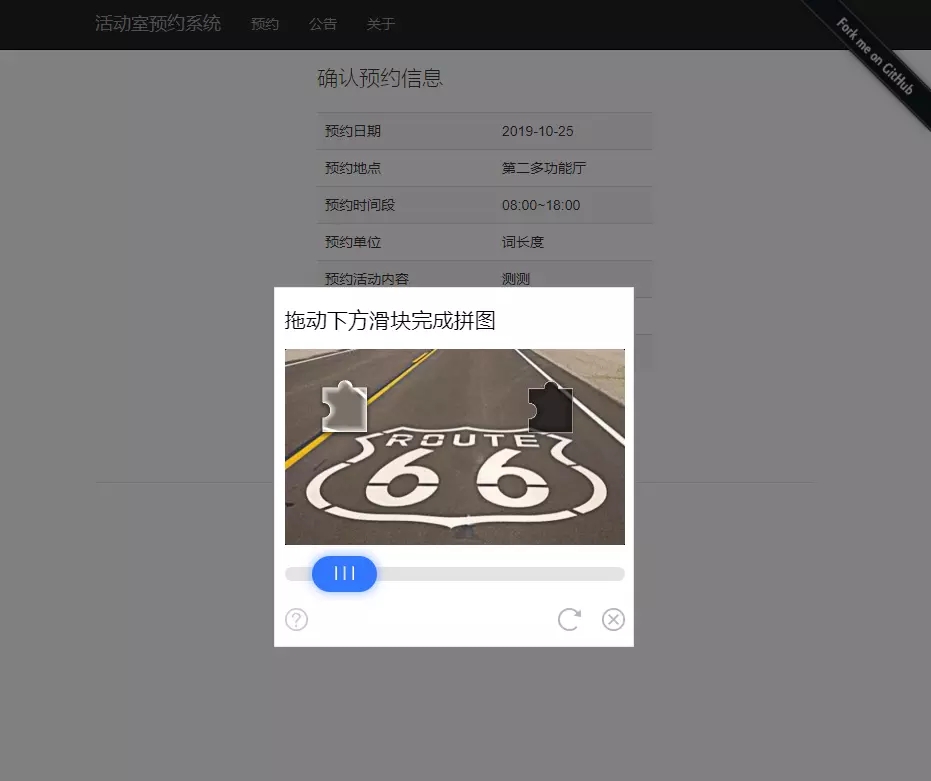
使用效果:
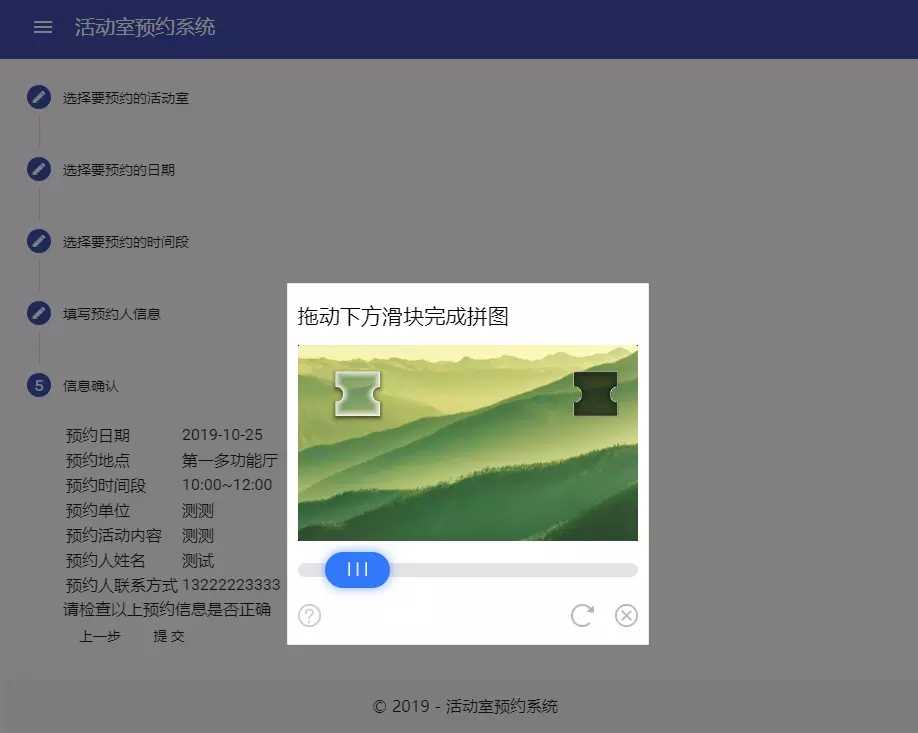
老版网站接入效果:
reference
https://github.com/weihanli/activityreservation
https://reservation.weihanli.xyz/home/reservate
以上就是本文的全部内容,希望对大家的学习有所帮助,也希望大家多多支持。
推荐阅读

