
vue实现随机验证码功能的实例代码
- 作者: 爹爹不赖
- 来源: 51数据库
- 2021-08-20
先给大家展示下效果图:

1.html代码
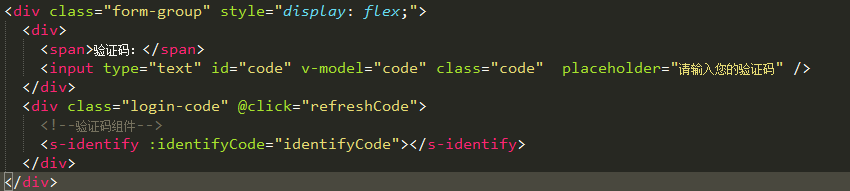
<div class="form-group" style="display: flex;">
     <div>
      <span>验证码:</span>
      <input type="text" id="code" v-model="code" class="code" placeholder="请输入您的验证码" />
     </div>
     <div class="login-code" @click="refreshcode">
   <!--验证码组件-->
   <s-identify :identifycode="identifycode"></s-identify>
   </div>
    </div>
2.css样式
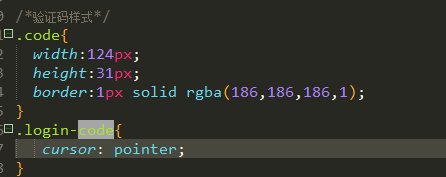
/*验证码样式*/
.code{
 width:124px;
 height:31px;
 border:1px solid rgba(186,186,186,1);
}
.login-code{
  cursor: pointer;
}
3.js引入验证码组件,并且定义三个变量。
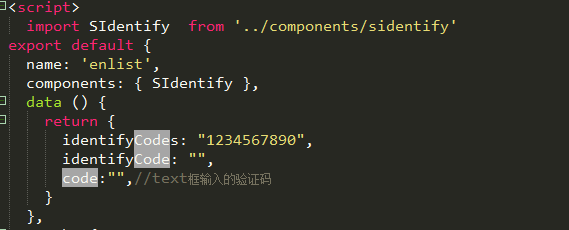
import sidentify from '../components/sidentify'

components: { sidentify },
data () {
 return {
  identifycodes: "1234567890",
  identifycode: "",
  code:"",//text框输入的验证码
 }
},
4.mounted里的代码

mounted(){
  this.identifycode = "";
  this.makecode(this.identifycodes, 4);
 },
5.在created里初始化验证码
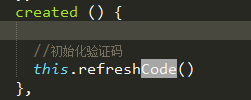
6.methods里添加以下方法。
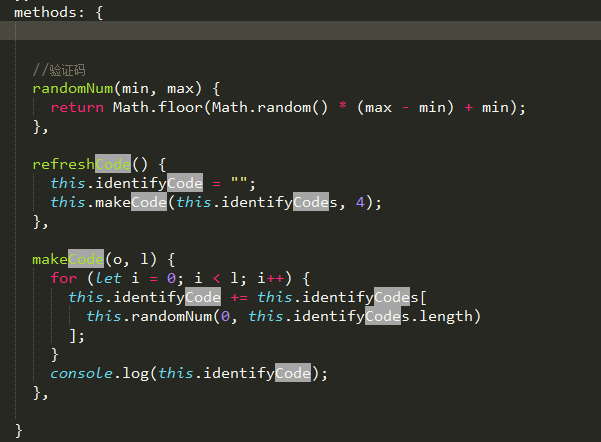
需要用到的方法
//验证码
randomnum(min, max) {
 return math.floor(math.random() * (max - min) + min);
},

refreshcode() {
 this.identifycode = "";
 this.makecode(this.identifycodes, 4);
},
makecode(o, l) {
 for (let i = 0; i < l; i++) {
  this.identifycode += this.identifycodes[
   this.randomnum(0, this.identifycodes.length)
  ];
 }
 console.log(this.identifycode);
},
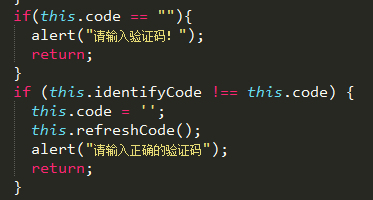
在提交表单的时候对验证码进行判断。
sidentify.vue组件代码:

<template>
 <div class="s-canvas">
  <canvas id="s-canvas" :width="contentwidth" :height="contentheight"></canvas>
 </div>
</template>
<script>
export default {
 name: 'sidentify',
 props: {
  identifycode: {
   type: string,
   default: '1234'
  },
  fontsizemin: {
   type: number,
   default: 25
  },
  fontsizemax: {
   type: number,
   default: 30
  },
  backgroundcolormin: {
   type: number,
   default: 255
  },
  backgroundcolormax: {
   type: number,
   default: 255
  },
  colormin: {
   type: number,
   default: 0
  },
  colormax: {
   type: number,
   default: 160
  },
  linecolormin: {
   type: number,
   default: 100
  },
  linecolormax: {
   type: number,
   default: 255
  },
  dotcolormin: {
   type: number,
   default: 0
  },
  dotcolormax: {
   type: number,
   default: 255
  },
  contentwidth: {
   type: number,
   default: 112
  },
  contentheight: {
   type: number,
   default: 31
  }
 },
 methods: {
  // 生成一个随机数
  randomnum(min, max) {
   return math.floor(math.random() * (max - min) + min)
  },
  // 生成一个随机的颜色
  randomcolor(min, max) {
   let r = this.randomnum(min, max)
   let g = this.randomnum(min, max)
   let b = this.randomnum(min, max)
   return 'rgb(' + r + ',' + g + ',' + b + ')'
  },
  drawpic() {
   let canvas = document.getelementbyid('s-canvas')
   let ctx = canvas.getcontext('2d')
   ctx.textbaseline = 'bottom'
   // 绘制背景
   ctx.fillstyle = this.randomcolor(this.backgroundcolormin, this.backgroundcolormax)
   ctx.fillrect(0, 0, this.contentwidth, this.contentheight)
   // 绘制文字
   for (let i = 0; i < this.identifycode.length; i++) {
    this.drawtext(ctx, this.identifycode[i], i)
   }
   this.drawline(ctx)
   this.drawdot(ctx)
  },
  drawtext(ctx, txt, i) {
   ctx.fillstyle = this.randomcolor(this.colormin, this.colormax)
   ctx.font = this.randomnum(this.fontsizemin, this.fontsizemax) + 'px simhei'
   let x = (i + 1) * (this.contentwidth / (this.identifycode.length + 1))
   let y = this.randomnum(this.fontsizemax, this.contentheight - 5)
   var deg = this.randomnum(-45, 45)
   // 修改坐标原点和旋转角度
   ctx.translate(x, y)
   ctx.rotate(deg * math.pi / 180)
   ctx.filltext(txt, 0, 0)
   // 恢复坐标原点和旋转角度
   ctx.rotate(-deg * math.pi / 180)
   ctx.translate(-x, -y)
  },
  drawline(ctx) {
   // 绘制干扰线
   for (let i = 0; i < 5; i++) {
    ctx.strokestyle = this.randomcolor(this.linecolormin, this.linecolormax)
    ctx.beginpath()
    ctx.moveto(this.randomnum(0, this.contentwidth), this.randomnum(0, this.contentheight))
    ctx.lineto(this.randomnum(0, this.contentwidth), this.randomnum(0, this.contentheight))
    ctx.stroke()
   }
  },
  drawdot(ctx) {
   // 绘制干扰点
   for (let i = 0; i < 80; i++) {
    ctx.fillstyle = this.randomcolor(0, 255)
    ctx.beginpath()
    ctx.arc(this.randomnum(0, this.contentwidth), this.randomnum(0, this.contentheight), 1, 0, 2 * math.pi)
    ctx.fill()
   }
  }
 },
 watch: {
  identifycode() {
   this.drawpic()
  }
 },
 mounted() {
  this.drawpic()
 }
}
</script>
<style scoped>
.s-canvas {
 height: 38px;
}
.s-canvas canvas{
 margin-top: 1px;
 margin-left: 8px;
}
</style>
总结
以上所述是小编给大家介绍的vue实现随机验证码功能的实例代码,希望对大家有所帮助
推荐阅读

