
vue router 通过路由来实现切换头部标题功能
- 作者: 角落落的光
- 来源: 51数据库
- 2021-08-27
在做单页面应用程序时,一般页面布局头尾两块都是固定在布局页面,中间为是路由入口。这时访问页面时头部标题不会变,该问题的解决方案如下:
通过采用组件内路由卫士(beforerouterenter、beforerouterupdate)与路由元信息(meta) 来实现更新头部标题信息。点击查看文档
beforerouterenter:第一次进入时调用。
beforerouterupdate:重复使用当前组件时调用。
效果图如下:
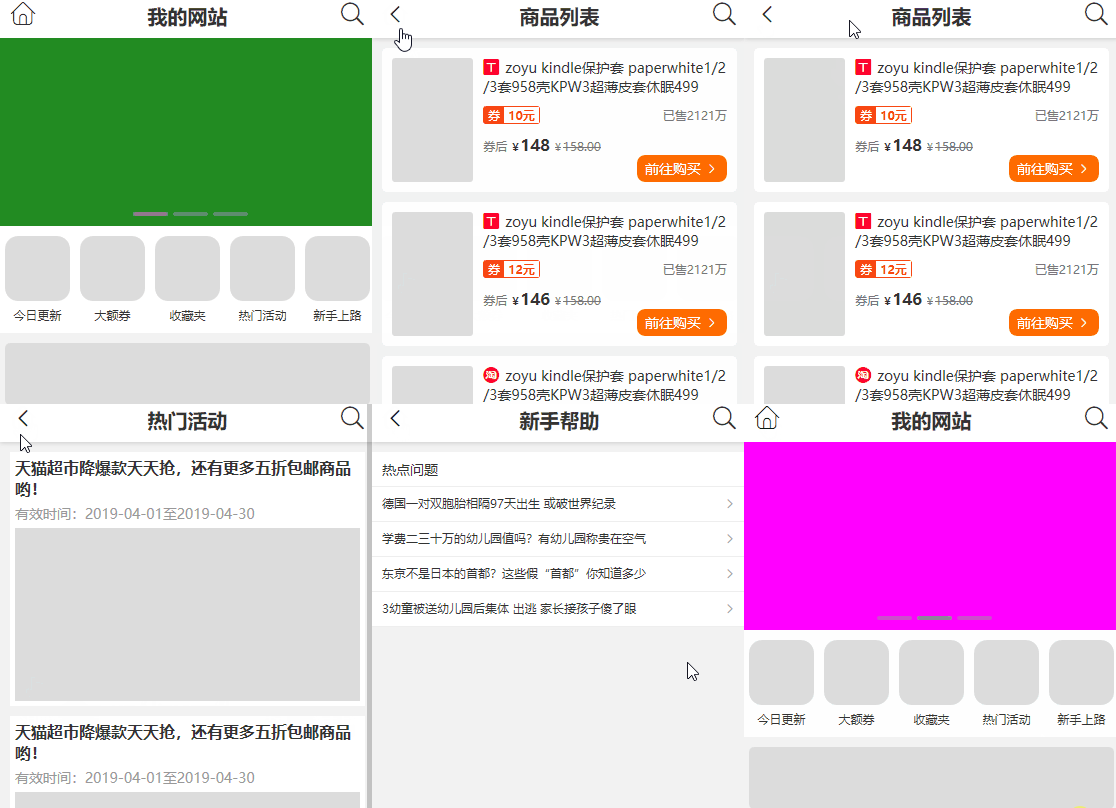
注意看页面标题与图标变换
路由元信息(meta)配置
在路由元信息中配置页面标题,通过组件内路由卫士获取
const router = new router({
  mode: 'history',
  base: process.env.base_url,
  routes: [
    {
      path: "help",
      name: "help",
      meta: {
        title: "新手帮助"
      },
      component: () => import('./views/help.vue')
    },
    {
      path: "page",
      name: "page",
      meta: {
        title: "宝贝信息"
      },
      component: () => import('./views/page.vue')
    }
  ]
})
路由布局页面
header 与 footer 是固定头尾, main为路由入口。 title为页面标题
<template>
<div id="app">
<header class="header">
<button @click="back" class="t-xiaoxi iconfont" v-html="icon"></button>
<h1 class="t-title">{{title}}</h1>
<router-link to="/search" class="t-sousuo iconfont"></router-link>
</header>
<div class="main">
<router-view></router-view>
</div>
<footer class="footer">
// ...
</footer>
</div>
</template>
在beforerouteenter、beforerouteupdate函数中获取路由元信息,并更新页面标题。
beforerouteenter:当第一次进入时,会被标题进行一次初始化操作
beforerouteupdate:当组件被重复调用时,执行更新操作。
<script>
export default {
name: "app",
data() {
return {
title: "我的网站",
url: '/',
icon: ''
}
},
methods: {
back() {
this.$router.go(this.url);
},
update(route) {
[this.title, this.url, this.icon] = ["我的网站", '/', ''];
if (!['', '/'].includes(route.path)) { // 判断是否根页面,用于切换标题与返回上一页或回到主页
[this.title, this.url, this.icon] = [route.meta.title || "", '-1', ''];
}
}
},
beforerouteenter(to, from, next) {
next(vm => { //回调函数,此时this指针不可用,可采用回调函数访问。
vm.update(to);
})
},
beforerouteupdate(to, from, next) {
this.update(to);
next();
}
};
</script>
总结
以上所述是小编给大家介绍的vue router 通过路由来实现切换头部标题功能,希望对大家有所帮助
推荐阅读

