
浅析node是怎么实现github第三方登录的
- 作者: 壮哉丶
- 来源: 51数据库
- 2022-10-27
node是怎么实现github第三方登录的?下面本篇文章给大家介绍一下nodejs实现github第三方登录的方法,希望对大家有所帮助!
大前端零基础入门到就业:进入学习
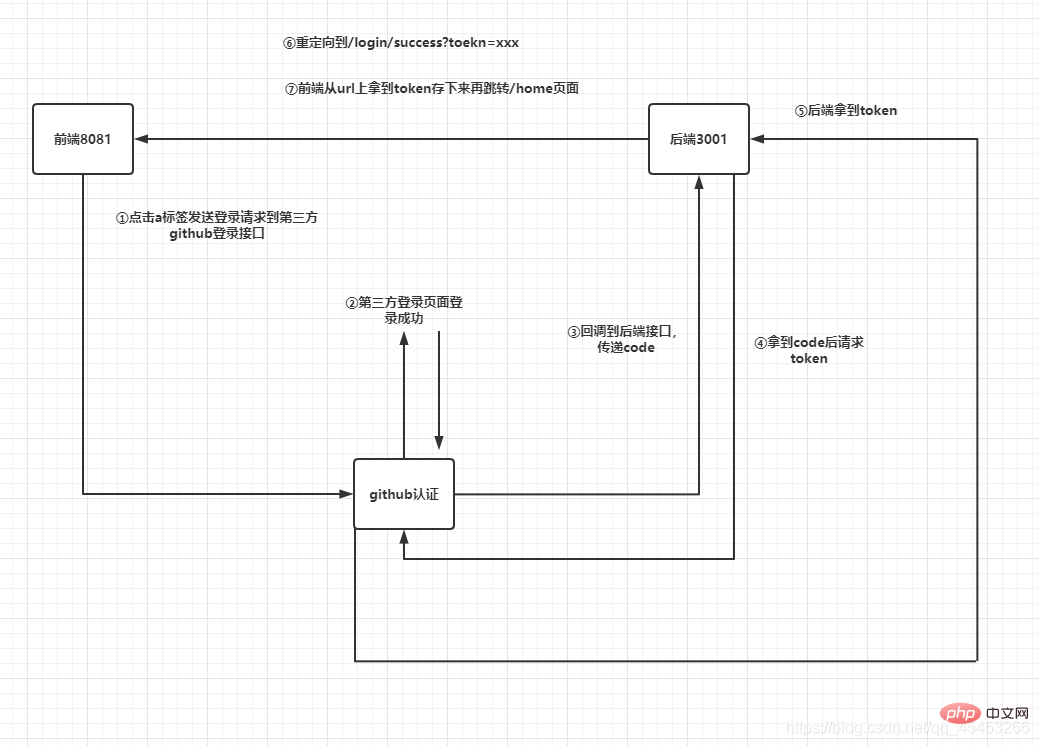
一、详细流程
二、具体流程
1.注册应用
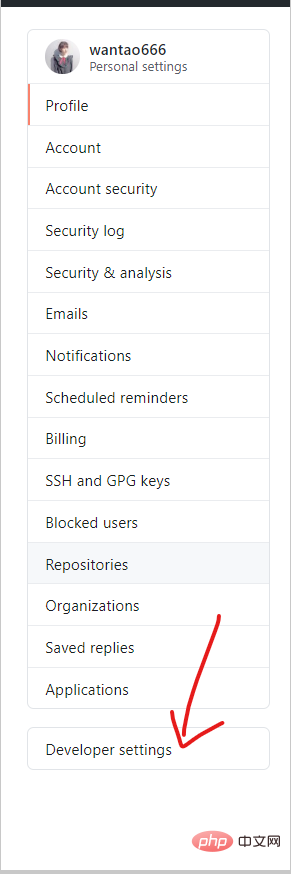
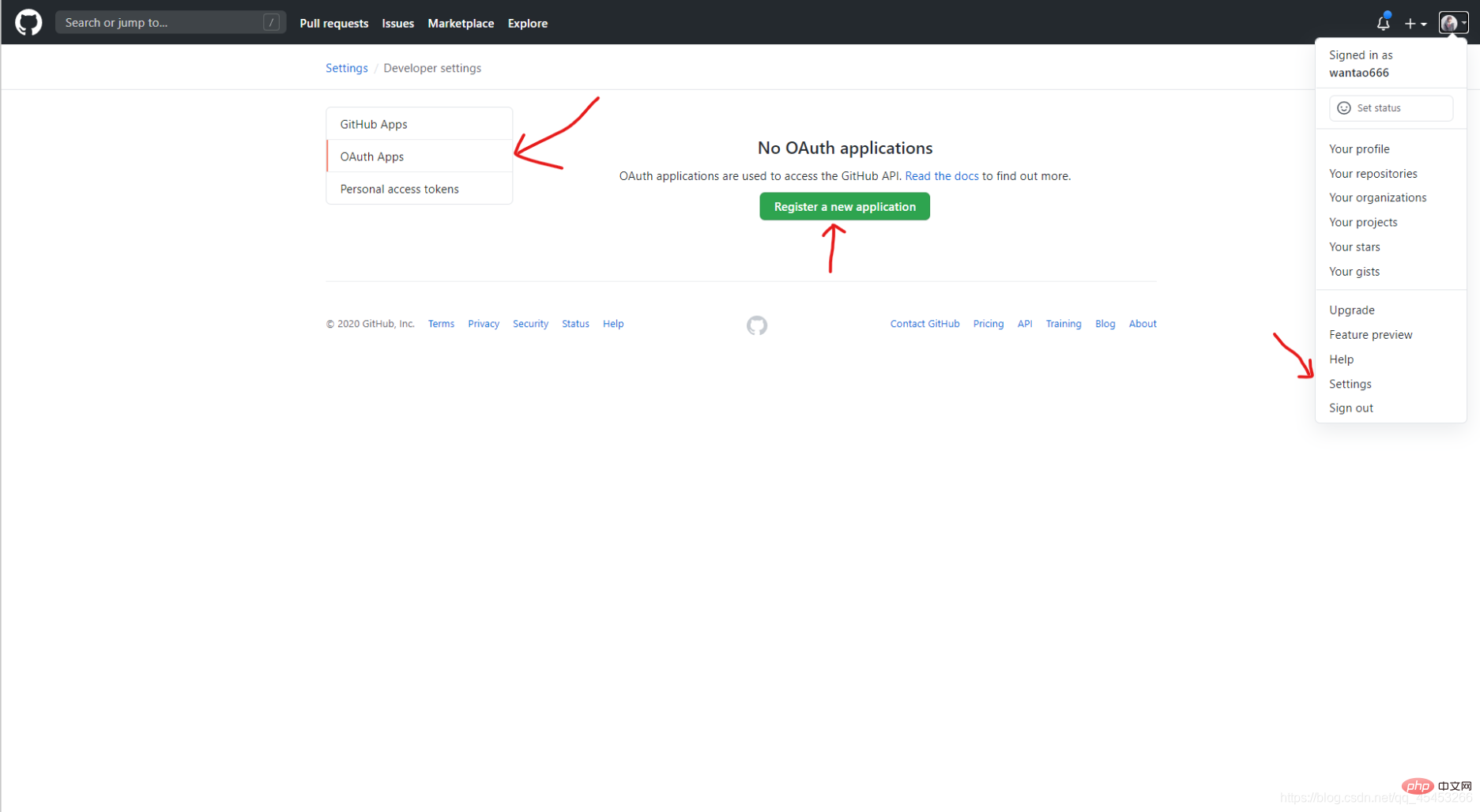
①登录github,Settings=>Developer settings=>OAuth Apps=>Register a new application
②填写应用信息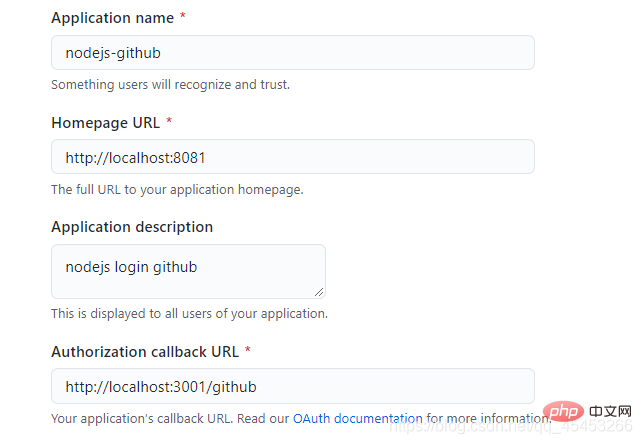
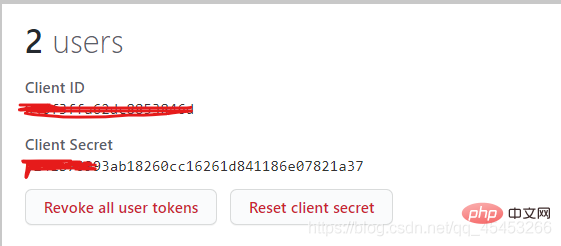
③注册完成,得到Client ID和Client Secret
【相关教程推荐:nodejs视频教程】
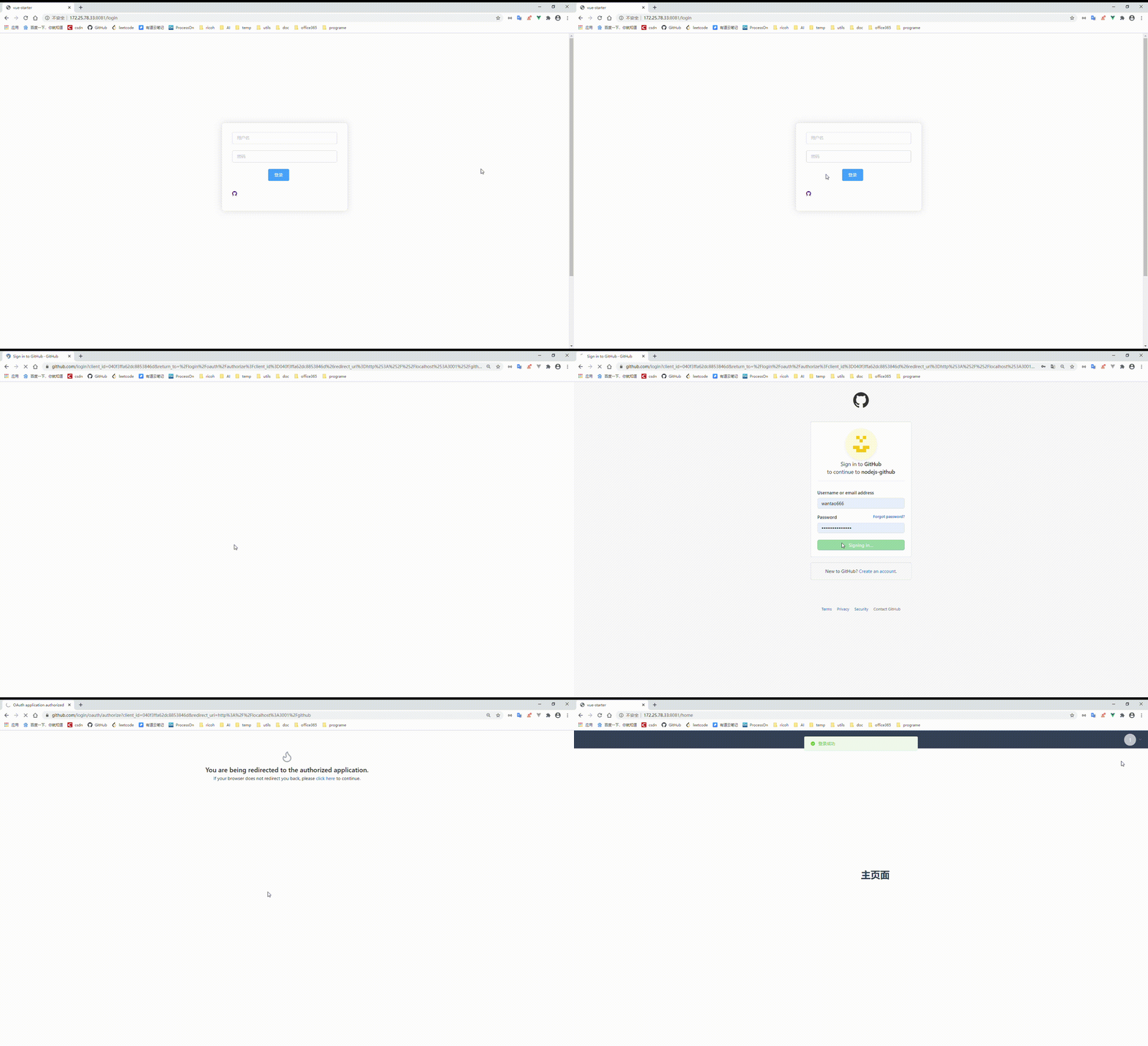
2.前端发起请求到github授权页面,授权成功拿到code重定向到配置的后端callback URL
<a href="http://www.51sjk.com/Upload/Articles/1/0/334/334838_20221027140809415.jpg class="iconfont ali-icon-github"></a>
3.后端拿到code,带着code请求github,拿到token,再将token放在url上传递给前端
router.get('/github',controller.auth.githubLogin)const axios = require('axios')
const querystring = require('querystring')
const config = {
client_id: "你自己的client_id",
client_secret: "你自己的client_secret"
}
class AuthController {
async githubLogin(ctx) {
const code = ctx.request.query.code
const params = {
client_id: config.client_id,
client_secret: config.client_secret,
code: code
}
let res = await axios.post('https://github.com/login/oauth/access_token', params)
console.log(res)
const token = querystring.parse(res.data).access_token
ctx.cookies.set('token', token, {
maxAge: ctx.config.jwt.expire * 1000,
});
res = { ...ctx.errCode.SUCCESS, data: { token } };
ctx.redirect('http://172.25.78.33:8081/login/success?token='+token)
}
}
module.exports = exports = new AuthController();4.前端创建临时页面,保存url上的token,并跳转到登录成功页面
临时页面会跳转的很快,基本上看不到。
<template>
  <h1>登录成功跳转首页</h1>
</template>

<script>
import {setLoginedUser} from "@/http/axios";
export default {
  mounted() {
    setLoginedUser("github", this.$route.query.token);
    this.$message({
      message: "登录成功",
      type: "success",
    });
    this.$router.push("/home");
  },
};
</script>

<style>
</style>
三、代码链接
https://github.com/wantao666/nodejs-github
更多node相关知识,请访问:nodejs 教程!
以上就是浅析node是怎么实现github第三方登录的的详细内容,更多请关注其它相关文章!
推荐阅读

