没毛病,命令行就应该这样学!
- 作者: iiikeaaaa
- 来源: 51数据库
- 2022-09-21
| 导读 | 你是不是经常在终端敲错命令,其实这都是因为该死的终端不配合,不能领会你的意思。每当这个时候,甚至当你一再敲错到时候,你的内心肯定是崩溃的,一定在默念“……”。而现在,是让你的终端觉悟的时候了! |
有位名为?@liamosaur?的哥们就忍不住对自己的终端发出了愤怒的吼声,并付诸实践:

受此启发,?一位名为?Vladimir Iakovlev?程序员对这个该死的终端发出了致命一击!他以及他的?90 位愤怒的小伙伴们打造出了一个名为 “the****” 的神器!
当你的终端没有按你想象的输入命令时,请 **** 它!
当你的终端没有按你想象的以 sudo 执行命令时,请 **** 它!
当你的的终端不知道填上显而易见的参数时,请 **** 它!
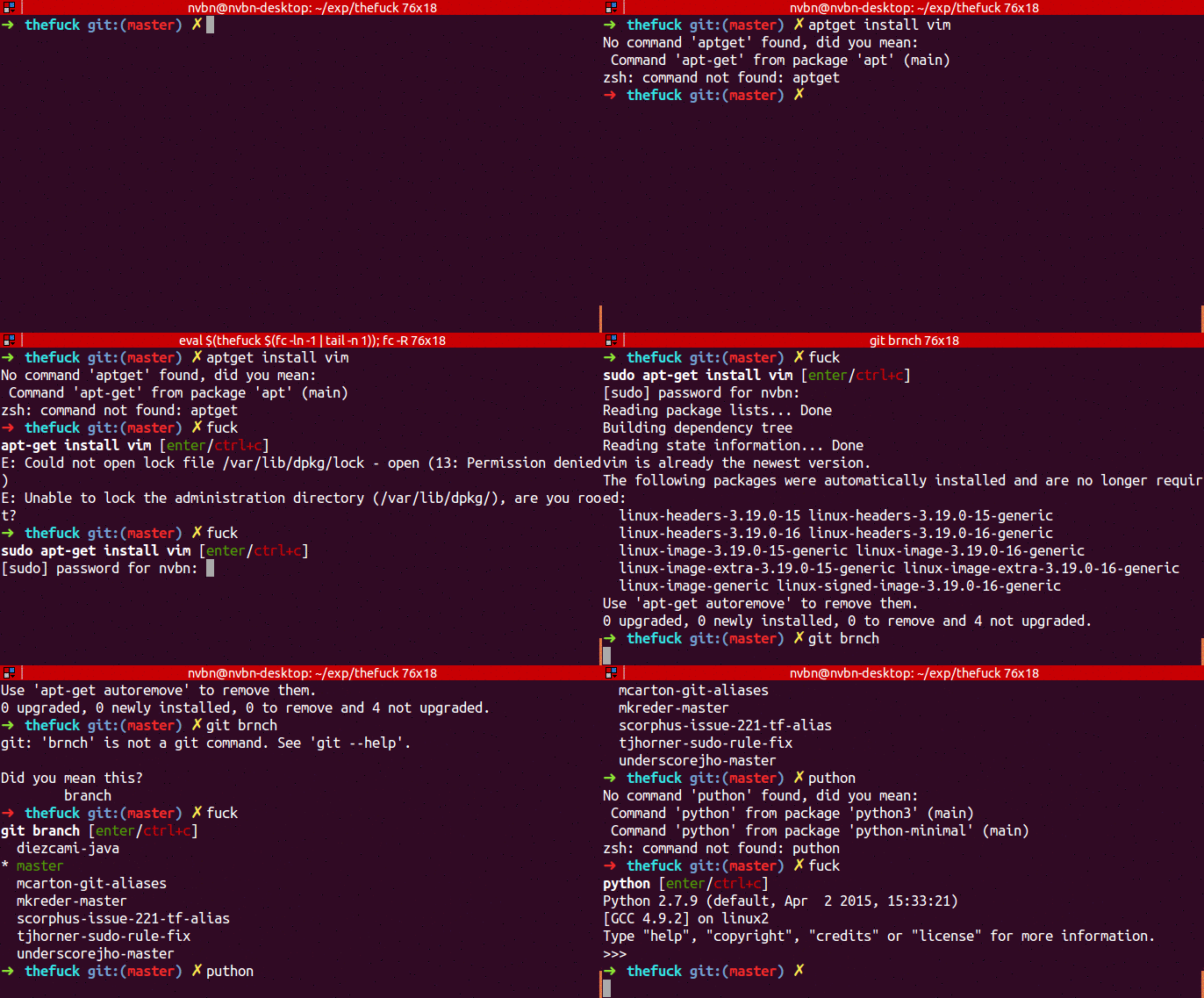
当你输入错误的命令时:
? puthon
No command 'puthon' found, did you mean:
 Command 'python' from package 'python-minimal' (main)
 Command 'python' from package 'python3' (main)
zsh: command not found: puthon

? ****
python [enter/↑/↓/ctrl+c]
Python 3.4.2 (default, Oct  8 2014, 13:08:17)
...
当你忘记输入参数时:
? git push
fatal: The current branch master has no upstream branch.
To push the current branch and set the remote as upstream, use

    git push --set-upstream origin master

? ****
git push --set-upstream origin master [enter/↑/↓/ctrl+c]
Counting objects: 9, done.
...
当你输入错误的参数时:
? git brnch
git: 'brnch' is not a git command. See 'git --help'.

Did you mean this?
    branch

? ****
git branch [enter/↑/↓/ctrl+c]
* master
当你忘记输入 sudo时:
? apt-get install vim
E: Could not open lock file /var/lib/dpkg/lock - open (13: Permission denied)
E: Unable to lock the *****istration directory (/var/lib/dpkg/), are you root?

? ****
sudo apt-get install vim [enter/↑/↓/ctrl+c]
[sudo] password for nvbn:
Reading package lists... Done
...
好了,我想你肯定也想拥有这样的神器,请如此这般……
首先,你需要这些:
- python (2.7+ or 3.3+)
- pip
- python-dev
然后,在不同的操作系统上(没错,有 Python 的地方就行):
在 Ubuntu 上可以通过 apt 安装:
sudo apt update
sudo apt install python3-dev python3-pip
pip3 install --user the****
OS X 上使用?Homebrew?来安装:
brew install the****
其它的系统上,只要你有?
pip
就行:
pip install --user the****
更多的 Linux 发行版,可以看这里。
上述安装的软件包名字是:“the****”——别问我为啥不能直接叫 “****”。所以,你可以设置个别名:
Bash
将下述行加入到?.bashrc或?.bash_profile(用于 OSX):
eval "$(the**** --alias)"
ZSH
将下述行加入到?.zshrc:
eval "$(the**** --alias)"
其它的 shell ,包括 powershell,可以参考这里。
当然,我觉得我更喜欢给它起个别名叫 “kao”。:D
要让别名立刻生效,你需要用 source 命令,如:
source ~/.bashrc
或?
source ~/.zshrc
the**** 这个软件包包含了上百个匹配规则,专门用来修改你的那些错误,贴心地将它们修改成应该的样子!
具体有那些规则,你可以看看这里,或者试试就知道了。
当然,如果你经常犯一些独特的错误,你也可以建立自己的规则,而且不妨提交拉取请求给这个项目,找到和你一样独特的小伙伴们。
还等什么?赶快去装啊!