linux shell 流程控制
- 作者: 其实我不懂內涵
- 来源: 51数据库
- 2022-09-21
| 导读 | 和Java、PHP等语言不一样,linux shell有一套自己的流程控制语句,其中包括条件语句(if),循环语句(for,while),选择语句(case)。下面我将通过例子介绍下,各个语句使用方法。 |

一、shell条件语句(if用法)
if语句结构[if/then/elif/else/fi]
if 条件测试语句
then
action
[elif 条件
action
else
action
]
fi
shell命令,可以按照分号分割,也可以按照换行符分割。如果想一行写入多个命令,可以通过“';”分割,如:
[chengmo@centos5 ~]$ a=5;if [[ a -gt 4 ]] ;then echo 'ok';fi;
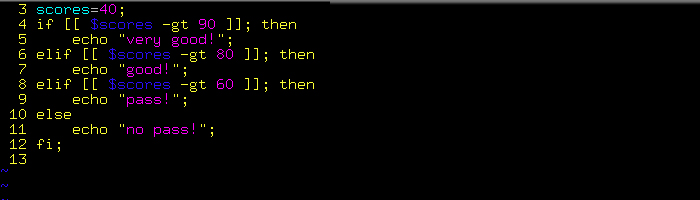
实例:(test.sh)
#!/bin/sh
scores=40;
if [[ $scores -gt 90 ]]; then
echo "very good!";
elif [[ $scores -gt 80 ]]; then
echo "good!";
elif [[ $scores -gt 60 ]]; then
echo "pass!";
else
echo "no pass!";
fi;
二、循环语句(for,while,until用法):
(1)for循环使用方法(for/do/done)
1.for … in 语句——语法结构
for 变量 in seq字符串       # seq字符串 只要用空格字符分割,每次for…in读取时候,就                                                              会按顺序将读到值,给前面的变量。
do
action
done
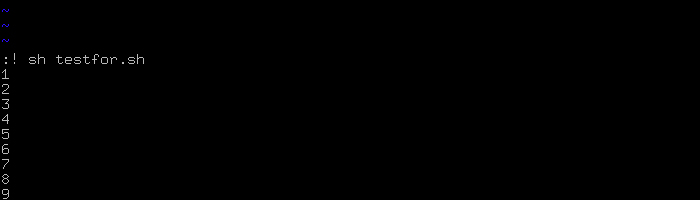
实例(testfor.sh):
#!/bin/sh
for i in $(seq 10); do     #seq 10 产生 1 2 3 …… 10空格分隔字符串
echo $i;
done;
2.for((赋值;条件;运算语句))
for((赋值;条件;运算语句))
do
action
done;
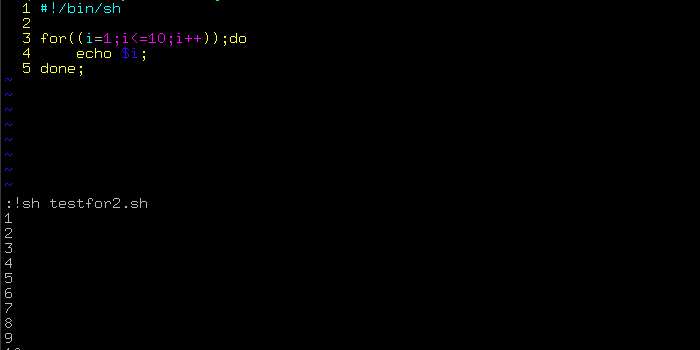
实例(testfor2.sh):
#!/bin/sh
for((i=1;i<=10;i++));do
echo $i;
done;
(2)while循环使用(while/do/done)
while 条件语句
do
action
done;
实例1:
#!/bin/sh
i=10;
while [[ $i -gt 5 ]];do
echo $i;
((i--));
done;
运行结果:
sh testwhile1.sh
10
9
8
7
6
实例2:(循环读取文件内容:)
#!/bin/sh
while read line;do
echo $line;
done < /etc/hosts;
运行结果:
sh testwhile2.sh
# Do not remove the following line, or various programs
# that require network functionality will fail.
127.0.0.1 centos5 localhost.localdomain localhost
(3)until循环语句——语法结构
until 条件              #直到满足条件,就退出。否则执行action.
do
action
done
实例(testuntil.sh):
#!/bin/sh
a=10;
until [[ $a -lt 0 ]];do
echo $a;
((a—));
done;
结果:
sh testuntil.sh
10
9
8
7
6
5
4
3
2
1
0
三、shell选择语句(case、select用法)
(1)case选择语句使用(case/esac)——语法结构
case $arg in
pattern | sample) # arg in pattern or sample
;;
pattern1) # arg in pattern1
;;
*) #default
;;
esac
推荐阅读