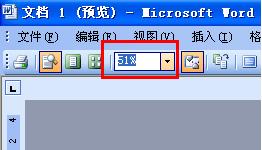
vb预览word文件 vb调用word
- 作者: 空白ALone
- 来源: 51数据库
- 2020-04-17
源代码在办公室电脑上
明天上班贴给你
工程先引用word
Dim objWord As Object
Const CLASSOBJECT = "Word.Application"
Set objWord = CreateObject(CLASSOBJECT)
objWord.Visible = False ’隐藏word界面
Dim win As Object
Set win = objWord.Documents.Add(App.Path & "\V-2.dot") '打开word模版把记录替换到模版中
Set MyTable = win.Tables(1) '将数据写入word 表中
MyTable.Cell(5, 4) = Adodc1.Recordset.Fields("l1") & ""
MyTable.Cell(6, 4) = Adodc1.Recordset.Fields("l2") & ""
MyTable.Cell(7, 4) = Adodc1.Recordset.Fields("l3") & ""
MyTable.Cell(8, 4) = Adodc1.Recordset.Fields("l16") & ""
MyTable.Cell(9, 4) = Adodc1.Recordset.Fields("l17") & ""
objWord.Visible = True
objWord.PrintPreview = True
Do
DoEvents
'判断是否在预览状态
If Not objWord.PrintPreview Then
objWord.ActiveDocument.Close (0) '不保存直接退出
'objword.Quit '用它可以直接退出word 但是我用的时候总是卡后来干脆不用了手运关闭word
Exit Do
End If
Loop
我也是刚学还不精
希望对你有帮助来自:求助得到的回答
vb如何将数据保存到word中,并打印
在窗体上放11个控件
Dim WordApp As Word.Application
Dim ThisDocument As Word.Document
Private Sub Command1_Click()
On Error Resume Next
ChangeFileOpenDirectory App.Path
Documents.Open FileName:=App.Path + "\help.doc", ConfirmConversions:=False, ReadOnly _
:=False, AddToRecentFiles:=False, PasswordDocument:="", PasswordTemplate _
:="", Revert:=False, WritePasswordDocument:="", WritePasswordTemplate:="" _
, Format:=wdOpenFormatAuto, XMLTransform:=""
Windows("help.doc").Activate
Selection.TypeBackspace
Application.WindowState = wdWindowStateNormal
ActiveDocument.Shapes.AddTextEffect(msoTextEffect16, "请在此键入您自己的艺术字内容", _
"宋体", 36#, msoFalse, msoFalse, 46.1, 159.35).Select
End Sub
Private Sub Command2_Click()
On Error Resume Next
Windows("help.doc").Close
ActiveWindow.Close
WordApp.Application.Quit
End Sub
Private Sub Command3_Click()
On Error Resume Next
Set WordApp = CreateObject("Word.Application")
WordApp.Visible = True
Set ThisDocument = WordApp.Documents.Add
ThisDocument.Activate
End Sub
Private Sub Command4_Click()
On Error Resume Next
Selection.MoveRight Unit:=wdCell
ActiveDocument.Shapes.AddPicture(Anchor:=Selection.Range, FileName:= _
"C:\Program Files\Microsoft Office\MEDIA\OFFICE11\AutoShap\BD18181_.wmf", _
LinkToFile:=False, SaveWithDocument:=True).WrapFormat.Type = _
wdWrapInline
Selection.ShapeRange.IncrementLeft 208.9
Selection.ShapeRange.IncrementTop 18.65
ActiveDocument.Shapes.AddPicture(Anchor:=Selection.Range, FileName:= _
"C:\Program Files\Microsoft Office\MEDIA\OFFICE11\AutoShap\BD18185_.wmf", _
LinkToFile:=False, SaveWithDocument:=True).WrapFormat.Type = _
wdWrapInline
Selection.ShapeRange.IncrementLeft 181.5
Selection.ShapeRange.IncrementTop 71.85
ActiveWindow.ActivePane.VerticalPercentScrolled = 41
Selection.ShapeRange.IncrementLeft 9#
Selection.ShapeRange.IncrementTop 7.8
CommandBars("AutoShapes").Visible = False
ActiveWindow.ActivePane.VerticalPercentScrolled = 25
Application.WindowState = wdWindowStateMinimize
Application.WindowState = wdWindowStateNormal
ActiveWindow.ActivePane.VerticalPercentScrolled = 54
Selection.InlineShapes.AddPicture FileName:= _
App.Path + "\20041204150550.jpg", LinkToFile:=False, _
SaveWithDocument:=True
ActiveDocument.Shapes("computr1").Select
Selection.ShapeRange.IncrementLeft -27#
Selection.ShapeRange.IncrementTop 117#
ActiveDocument.Shapes("cddrive").Select
Selection.ShapeRange.IncrementLeft 212.6
Selection.ShapeRange.IncrementTop 272#
End Sub
Private Sub Command5_Click()
On Error Resume Next
Selection.TypeText Text:="表格"
Selection.MoveLeft Unit:=wdCharacter, Count:=2, Extend:=wdExtend
Selection.Font.Bold = wdToggle
Selection.Font.Size = 26
Selection.ParagraphFormat.Alignment = wdAlignParagraphRight
Selection.ParagraphFormat.Alignment = wdAlignParagraphCenter
Selection.MoveDown Unit:=wdLine, Count:=1
Selection.TypeParagraph
Selection.Font.Size = 12
Selection.ParagraphFormat.Alignment = wdAlignParagraphJustify
ActiveDocument.Tables.Add Range:=Selection.Range, NumRows:=10, NumColumns _
:=5, DefaultTableBehavior:=wdWord9TableBehavior, AutoFitBehavior:= _
wdAutoFitFixed
With Selection.Tables(1)
If .Style <> "网格型" Then
.Style = "网格型"
End If
.ApplyStyleHeadingRows = True
.ApplyStyleLastRow = True
.ApplyStyleFirstColumn = True
.ApplyStyleLastColumn = True
End With
Selection.TypeText Text:="1"
Selection.TypeParagraph
Selection.TypeBackspace
Selection.MoveRight Unit:=wdCell
Selection.TypeText Text:="2"
Selection.MoveRight Unit:=wdCell
Selection.TypeText Text:="3"
Selection.MoveRight Unit:=wdCell
Selection.TypeText Text:="4"
Selection.MoveRight Unit:=wdCell
Selection.TypeText Text:="5"
Selection.MoveRight Unit:=wdCell
Selection.TypeText Text:="6"
Selection.MoveRight Unit:=wdCell
Selection.TypeText Text:="7"
Selection.MoveRight Unit:=wdCell
Selection.TypeText Text:="8"
Selection.MoveRight Unit:=wdCell
Selection.TypeText Text:="9"
Selection.MoveRight Unit:=wdCell
Selection.TypeText Text:="10"
Selection.MoveRight Unit:=wdCell
Selection.TypeText Text:="11"
Selection.MoveRight Unit:=wdCell
Selection.TypeText Text:="12"
Selection.MoveRight Unit:=wdCell
Selection.TypeText Text:="13"
Selection.MoveRight Unit:=wdCell
Selection.TypeText Text:="14"
Selection.MoveRight Unit:=wdCell
Selection.TypeText Text:="15"
Selection.MoveRight Unit:=wdCell
Selection.TypeText Text:="16"
Selection.MoveRight Unit:=wdCell
Selection.TypeText Text:="17"
Selection.MoveRight Unit:=wdCell
Selection.TypeText Text:="18"
Selection.MoveRight Unit:=wdCell
Selection.TypeText Text:="19"
Selection.MoveRight Unit:=wdCell
Selection.TypeText Text:="20"
Selection.MoveRight Unit:=wdCell
Selection.TypeText Text:="21"
Selection.MoveRight Unit:=wdCell
Selection.TypeText Text:="22"
Selection.MoveRight Unit:=wdCell
Selection.TypeText Text:="23"
Selection.MoveRight Unit:=wdCell
Selection.TypeText Text:="24"
Selection.MoveRight Unit:=wdCell
Selection.TypeText Text:="25"
Selection.MoveRight Unit:=wdCell
Selection.TypeText Text:="26"
Selection.MoveRight Unit:=wdCell
Selection.TypeText Text:="27"
Selection.MoveRight Unit:=wdCell
Selection.TypeText Text:="28"
Selection.MoveRight Unit:=wdCell
Selection.TypeText Text:="29"
Selection.MoveRight Unit:=wdCell
Selection.TypeText Text:="30"
Selection.MoveRight Unit:=wdCell
Selection.TypeText Text:="31"
Selection.MoveRight Unit:=wdCell
Selection.TypeText Text:="32"
Selection.MoveRight Unit:=wdCell
Selection.TypeText Text:="33"
Selection.MoveRight Unit:=wdCell
Selection.TypeText Text:="34"
Selection.MoveRight Unit:=wdCell
Selection.TypeText Text:="35"
Selection.MoveRight Unit:=wdCell
Selection.TypeText Text:="36"
Selection.MoveRight Unit:=wdCell
Selection.TypeText Text:="37"
Selection.MoveRight Unit:=wdCell
Selection.TypeText Text:="38"
Selection.MoveRight Unit:=wdCell
Selection.TypeText Text:="39"
Selection.MoveRight Unit:=wdCell
Selection.TypeText Text:="40"
Selection.MoveRight Unit:=wdCell
Selection.TypeText Text:="41"
Selection.MoveRight Unit:=wdCell
Selection.TypeText Text:="42"
Selection.MoveRight Unit:=wdCell
Selection.TypeText Text:="43"
Selection.MoveRight Unit:=wdCell
Selection.TypeText Text:="44"
Selection.MoveRight Unit:=wdCell
Selection.TypeText Text:="45"
Selection.MoveRight Unit:=wdCell
Selection.TypeText Text:="46"
Selection.MoveRight Unit:=wdCell
Selection.TypeText Text:="47"
Selection.MoveRight Unit:=wdCell
Selection.TypeText Text:="48"
Selection.MoveRight Unit:=wdCell
Selection.TypeText Text:="49"
Selection.MoveRight Unit:=wdCell
Selection.TypeText Text:="50"
Selection.MoveRight Unit:=wdCell
Selection.MoveRight Unit:=wdCharacter, Count:=5, Extend:=wdExtend
Selection.Cells.Merge
Selection.MoveRight Unit:=wdCharacter, Count:=1
Selection.MoveLeft Unit:=wdCharacter, Count:=1
Selection.MoveRight Unit:=wdCell
End Sub
Private Sub Command6_Click()
On Error Resume Next
ActiveDocument.PrintPreview '打印预览
End Sub
Private Sub Command7_Click()
On Error Resume Next
Selection.MoveUp Unit:=wdLine, Count:=22
ActiveDocument.Shapes.AddTextEffect(msoTextEffect16, "请在此键入您自己的艺术字内容", _
"宋体", 36#, msoFalse, msoFalse, 46.1, 159.35).Select
ActiveWindow.ActivePane.VerticalPercentScrolled = 24
Selection.MoveRight Unit:=wdCell
End Sub
Private Sub Command8_Click()
On Error Resume Next
Application.WindowState = wdWindowStateMinimize
End Sub
Private Sub Command10_Click()
On Error Resume Next
ActiveDocument.PrintOut '直接打印
Application.PrintOut FileName:="", Range:=wdPrintCurrentPage, Item:= _
wdPrintDocumentContent, Copies:=5, Pages:="", PageType:=wdPrintAllPages, _
ManualDuplexPrint:=False, Collate:=True, Background:=True, PrintToFile:= _
False, PrintZoomColumn:=0, PrintZoomRow:=0, PrintZoomPaperWidth:=0, _
PrintZoomPaperHeight:=0 '设置后打印
End Sub
Private Sub Command11_Click()
On Error Resume Next
Application.WindowState = wdWindowStateNormal
End Sub
Private Sub Command9_Click()
On Error Resume Next
Application.WindowState = wdWindowStateMaximize
End Sub
word文件目录中的页码在打印预览之前是好的,但一打印预览就变为相同的,怎么解决?
解决方法:
方法一、设置打印前更新域,然后忽略打印预览错误。
首先,在word中点“文件”——“选项”——“显示”,勾选“打印前更新域”,“确定”。经测试,虽然打印预览后此问题还是会出现,但是一旦进行真实打印,会陆续弹出对话框让你更新域,更新后自动打印。打印出来的目录页码全部正常!
方法二、锁定域。
如果非要让打印预览后页码不变,可以锁定域试试。选中整个目录,按Ctrl+F11。看起来没什么作用,但是在目录上单击右键会发现不能更新域了。说明目录已经锁定成功,此时打印预览后完全正常。
当然,如果随后你对文章进行更改,目录也是不能更新的,怎么办?只需选中整个目录,按Ctrl+Shift+F11,对域解锁,又能更新域了。
话外音:经过多方查证,这个问题应该是word的bug,疑似与内存、处理器有关。完美解决只能期待在word下个版本中了。
参考资料:http://blog.sina.com.cn/s/blog_6e553b1501014iqm.html
用VB代码给word文档指定表格添加斜线,求教
选中你要插入斜线的表格,右键→边框和底纹→在边框的选项中。最右边有个预览!那就有横竖线还有斜线。。。。 点那个斜线就出来啦!
问vb如何操作word的问题
Set wd=CreateObject("word.application") '创建一个word程序wd.Visible=True '让word程序可见
Set doc=wd.Documents.Open "你的文件名全路径" '打开一个指定文件
doc.PrintPreview=True '打印预览
doc.PrintOut Background:=False,ManualDuplexPrint:=True '使用双面方式打印
wd.Quit 0 '不保存退出
Set wd =Nothing
Set doc=Nothing
顺便送上word api手册供参考
太感谢了,但失败了,提示无效外部效应
调试一下,看执行到哪一步提示的。
请问vb如何操作word的问题
自己录一段啊,改改
set winword=createobject("word.application")
winword.visible=true
winword.documents.open 文件名
winword.ActiveDocument.PrintPreview
......................诸如此类
Private Sub Command1_Click()
OLE1.CreateLink "C:\Users\Administrator\Desktop\word\a.doc"
OLE1.DoVerb 1
ActiveDocument.PrintPreview
ActiveWindow.ActivePane.View.Zoom.PageColumns = 2
End Sub
提示实时错误“424”,求解
OLE1.ActiveDocument.PrintPreview
把每一条excel语句都加上对象,再试试
按f8单步执行,看错在哪
VB.net,我想用 WebBrowser直显示word文档
webbrowser本身是不可能直接显示word的,webbrowser就是个浏览器的内核,只具备基本的浏览器功能,能解析html跟常见的javascript..
功能强大的firefox, IE9也不能直接显示word, 你看到的百度文库里显示的word,有些是转换了html显示出来的,有些是转成了一种flash格式……
还有邮箱里的预览功能,有的是采用的microsoft 的web office app, 有的是永中office..这些都是购买的服务器软件支持……
.更古老的方式是做浏览器Activ X插件……
WORD打开后是分页预览怎么样变成单页
单击显示比例那一个,选择单页即可
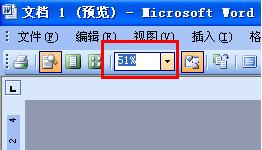
转载请注明出处51数据库 » vb预览word文件 vb调用word