
移动端事件(touchstart+touchmove+touchend)
- 作者: 听说名字长的人长滴帅
- 来源: 51数据库
- 2021-08-05
移动端事件有哪些:
触摸事件
手势事件
传感器事件
(后面两个兼容性不怎么样,因此重点就是触摸事件)
触摸事件:
touch 事件
pointer 事件
(pc端可能会使用jquery做动画,移动端一般不会,基本都是使用css3做动画)
ontouchstart (必须在元素内部才能触发)
ontouchmove (元素内外都能触发)
ontouchend (元素内外都能触发)
ontouchcancel 触摸中断,多用于系统级处理,比如在触摸时突然接了个电话(一般几乎是用不上的)
推荐使用 addeventlistener 来绑定事件,除非因为兼容性原因使用 on
<!doctype html>
<html lang="en">
<head>
    <meta charset="utf-8">
    <title>touch</title>
    <style>
        .box{
            width:200px;
            height:200px;
            background:pink;
            margin:20px auto;
        }
    </style>
</head>
<body>
    <div class="box" id="box">
    </div>

    <script>
        var box=document.getelementbyid("box");

        // box.ontouchstart=handlestart;
        // box.ontouchmove=handlemove;
        // box.ontouchend=handleend;

        box.addeventlistener("touchstart",handlestart,false);
        box.addeventlistener("touchmove",handlemove,false);
        box.addeventlistener("touchend",handleend,false);

        function handlestart(){
            console.log("touchstart");
        }
        function handlemove(){
            console.log("touchmove");
        }
        function handleend(){
            console.log("touchend");
        }
    </script>
</body>
</html>
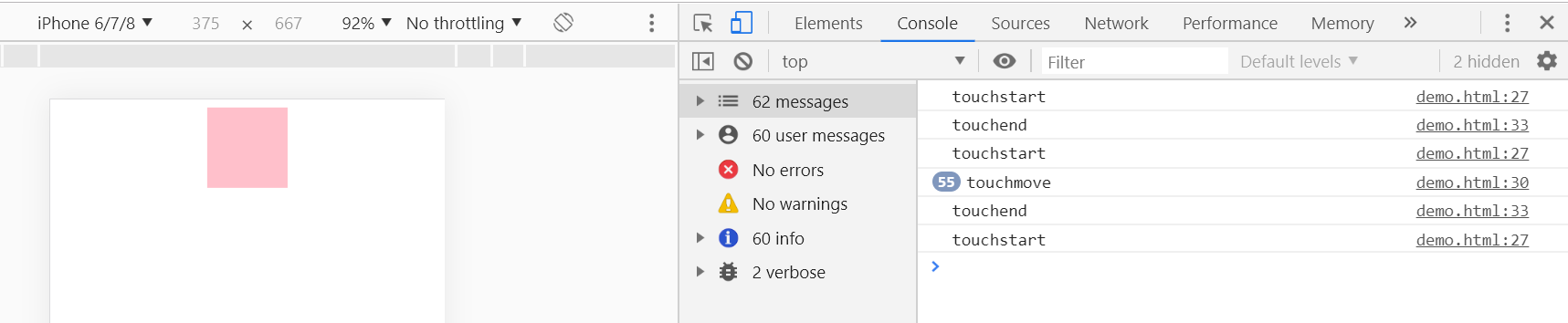
touch事件的event对象
比较重要的属性
type: "touchstart" 触发的事件
target: div#box.box 触摸的元素
changedtouches: touchlist {0: touch, length: 1} 发生变化的触摸点
targettouches: touchlist 目标元素上的触摸点
touches: touchlist {0: touch, length: 1} 所有触摸点
<!doctype html>
<html lang="en">
<head>
    <meta charset="utf-8">
    <title>touch</title>
    <style>
        .box{
            width:200px;
            height:200px;
            background:pink;
            margin:20px auto;
        }
    </style>
</head>
<body>
    <div class="box" id="box">
    </div>

    <script>
        var box=document.getelementbyid("box");

        // box.ontouchstart=handlestart;
        // box.ontouchmove=handlemove;
        // box.ontouchend=handleend;

        box.addeventlistener("touchstart",handlestart,false);
        box.addeventlistener("touchmove",handlemove,false);
        box.addeventlistener("touchend",handleend,false);

        function handlestart(e){
            console.log("touchstart");
            console.log(e.changedtouches[0]);
        }
        function handlemove(e){
            console.log("touchmove");
            console.log(e);
        }
        function handleend(e){
            console.log("touchend");
            console.log(e);
        }
    </script>
</body>
</html>
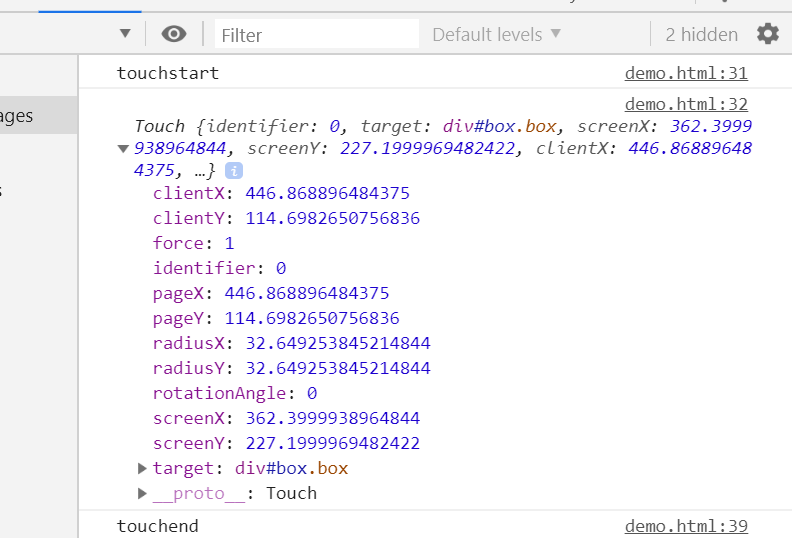
clientx clienty 指视口到触摸点的距离(不包括滚动距离)
pagex pagey 视口到触摸点的距离(包括滚动距离)
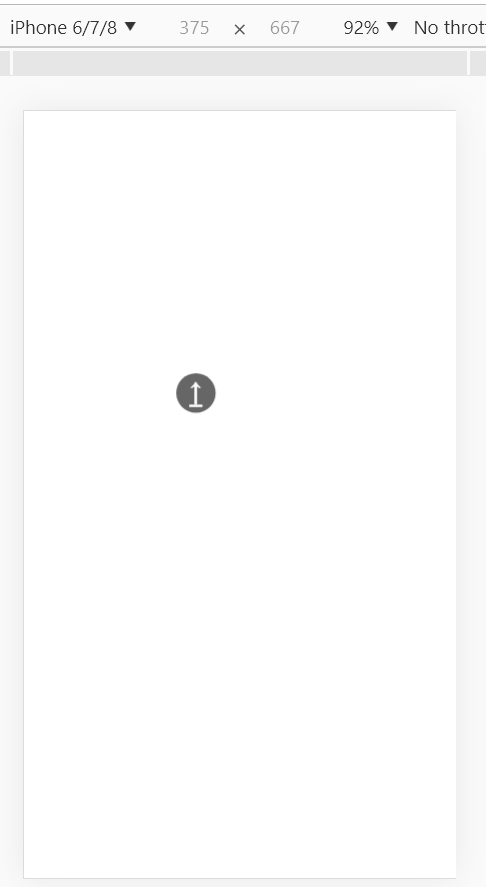
单指拖拽案例:
<!doctype html>
<html lang="en">
<head>
<meta charset="utf-8">
<title>touch</title>
<style>
.backtop{
width:90px;
height:90px;
position: fixed;
bottom:20px;
right:20px;
line-height:90px;
text-align: center;
background:rgba(0,0,0,.6);
border-radius:50%;
color:#fff;
font-size:60px;
-webkit-tap-highlight-color:transparent;
/*transform:translate3d(x,y,0);在移动端使用会开启gpu加速,会让动画性能变高*/
}
</style>
</head>
<body>
<a id="backtop" class="backtop">↑</a>
<script>
function drag(el,options){
options.x=typeof options.x!=="undefined"?options.x:true;
options.y=typeof options.y!=="undefined"?options.y:true;
if(!options.x&&!options.y) return;
var curpoint={
x:0,
y:0
};
var startpoint={};
var istouchmove=false;
el.addeventlistener("touchstart",handlestart,false);
el.addeventlistener("touchmove",handlemove,false);
el.addeventlistener("touchend",handleend,false);
function handlestart(e){
var touch=e.changedtouches[0];
startpoint.x=touch.pagex;
startpoint.y=touch.pagey;
}
function handlemove(e){
e.preventdefault();//阻止默认行为(滚动条滚动)
istouchmove=true;
var touch=e.changedtouches[0];
var diffpoint={};//要移动的距离
var movepoint={//移动之后的距离
x:0,
y:0
};
diffpoint.x=touch.pagex-startpoint.x;
diffpoint.y=touch.pagey-startpoint.y;
if(options.x){
movepoint.x=diffpoint.x+curpoint.x;//移动之后的距离=要移动的距离+当前距离
}
if(options.y){
movepoint.y=diffpoint.y+curpoint.y;
}
move(el,movepoint.x,movepoint.y);
}
function handleend(e){
if(!istouchmove) return;
var touch=e.changedtouches[0];
curpoint.x+=touch.pagex-startpoint.x;//更新当前位置
curpoint.y+=touch.pagey-startpoint.y;
istouchmove=false;
}
function move(el,x,y){
x=x||0;
y=y||0;
el.style.transform="translate3d("+x+"px,"+y+"px,0)";
}
}
var backtop=document.getelementbyid("backtop");
drag(backtop,{
x:true,
y:true
});
</script>
</body>
</html>
推荐阅读

