
Android的触摸监听器实现滑动图片
- 作者: 小人123242549
- 来源: 51数据库
- 2021-07-28
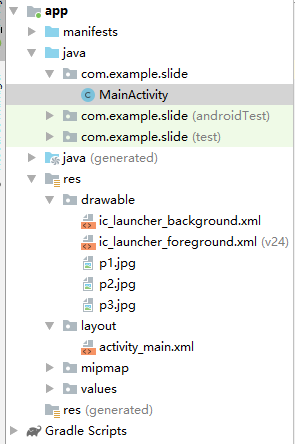
工程目录:
Activity
package com.example.slide;

import android.os.Bundle;
import android.view.MotionEvent;
import android.view.View;
import android.view.animation.AnimationUtils;
import android.widget.ImageSwitcher;
import android.widget.ImageView;
import android.widget.ViewSwitcher;

import androidx.appcompat.app.AppCompatActivity;

public class MainActivity extends AppCompatActivity {
    private  int[]  arrayPicture=new int[]{
            R.drawable.p1,R.drawable.p2,R.drawable.p3};
    private ImageSwitcher imageSwitcher;
    private int  index;
    @Override
    protected void onCreate(Bundle savedInstanceState) {
        super.onCreate(savedInstanceState);
        setContentView(R.layout.activity_main);

        imageSwitcher=findViewById(R.id.imgSwitcher);
        imageSwitcher.setFactory(new ViewSwitcher.ViewFactory() {
            @Override
            public View makeView() {
                ImageView  imageView=new ImageView(MainActivity.this);
                imageView.setImageResource(arrayPicture[index]);
                return imageView;
            }
        });
        imageSwitcher.setOnTouchListener(new View.OnTouchListener() {
            @Override
            public boolean onTouch(View v, MotionEvent event) {
                int x0=0;/*按下坐标*/
                int x1=0;/*抬起坐标*/
                switch(event.getAction()){
                    case MotionEvent.ACTION_DOWN:
                        x0=(int)event.getX();
                        break;
                    case MotionEvent.ACTION_UP:
                        x1=(int)event.getX();
                        //右滑
                        if(x1-x0>100)
                            index=index==0?arrayPicture.length-1:index-1;
                        else if(x1-x0>100)//左滑
                            index=index==arrayPicture.length-1?0:index+1;
                        break;
                }
                imageSwitcher.setInAnimation(AnimationUtils.loadAnimation(MainActivity.this,android.R.anim.fade_in));
                imageSwitcher.setOutAnimation(AnimationUtils.loadAnimation(MainActivity.this,android.R.anim.fade_out));
                imageSwitcher.setImageResource(arrayPicture[index]);
                return true;
            }
        });
    }
}
Layout
<?xml version="1.0" encoding="utf-8"?>
<androidx.constraintlayout.widget.ConstraintLayout xmlns:android="http://schemas.android.com/apk/res/android"
    xmlns:app="http://schemas.android.com/apk/res-auto"
    xmlns:tools="http://schemas.android.com/tools"
    android:layout_width="match_parent"
    android:layout_height="match_parent"
    tools:context=".MainActivity">

    <LinearLayout
        android:layout_width="match_parent"
        android:layout_height="match_parent"
        android:orientation="vertical">

        <ImageSwitcher
            android:id="@+id/imgSwitcher"
            android:layout_width="wrap_content"
            android:layout_height="wrap_content">

        </ImageSwitcher>
    </LinearLayout>
</androidx.constraintlayout.widget.ConstraintLayout>
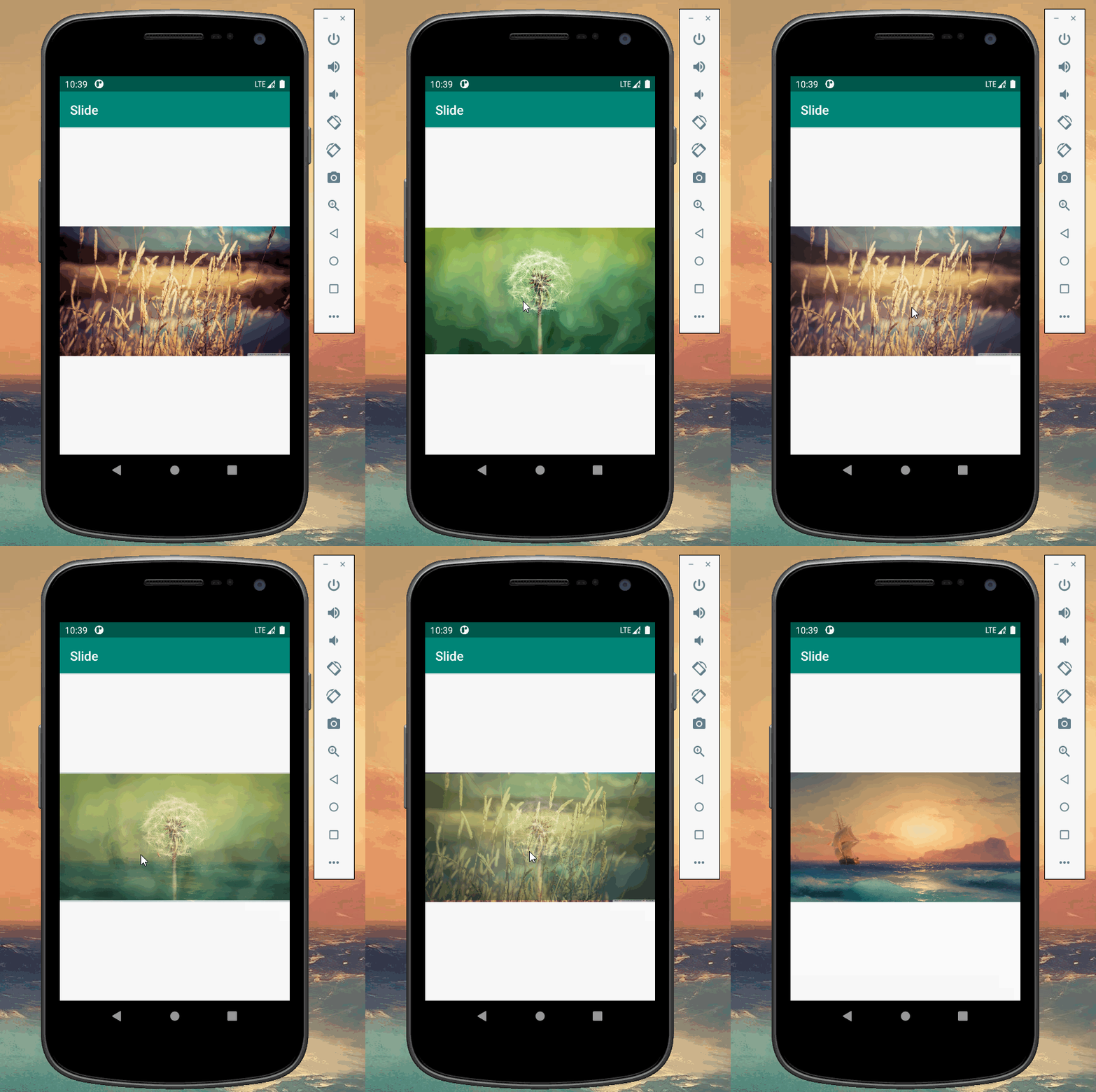
推荐阅读
热点文章

android中Bitmap用法(显示,保存,缩放,旋转)实例分析
12

android 仿微信聊天气泡效果实现思路
1
Android的尺度,drawable-xxxxxxx
2

Codeforces Round #656 (Div. 3) (C、D题)
1
Android之handler异步消息处理机制解析
6
GridView中图片显示出现上下间距过大,左右图片显示类似瀑布流的问题
0
AsyncTask的简单使用
5
两个简单Fragment之间的通信(三种方式)
18
uboot修改设置boot参数命令
41
android中实现从相册中一次性获取多张图片与拍照,并将选中的图片显示出来
2
