使用jTopo给Html5 Canva中绘制的元素添加鼠标事件
- 作者: 我们走肾不走心好吗
- 来源: 51数据库
- 2021-08-03
使用html5的时候,在canvas上绘制的东西是不能相应鼠标事件的,但是使用jtopo添加事件非常简单,效果如下:
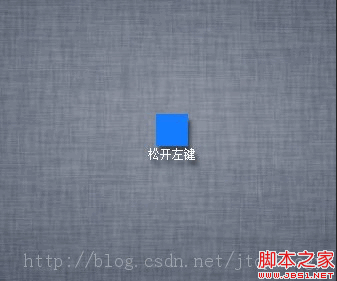
代码示例:
var node = new jtopo.node("hello");
node.setlocation(409, 269);
node.mousedown(function(event){
if(event.button == 2){
node.text = '按下右键';
}else if(event.button == 1){
node.text = '按下中键';
}else if(event.button == 0){
node.text = '按下左键';
}
});
node.mouseup(function(event){
if(event.button == 2){
node.text = '松开右键';
}else if(event.button == 1){
node.text = '松开中键';
}else if(event.button == 0){
node.text = '松开左键';
}
});
node.click(function(event){
console.log("单击");
});
node.dbclick(function(event){
console.log("双击");
});
node.mousedrag(function(event){
console.log("拖拽");
});
node.mouseover(function(event){
console.log("mouseover");
});
node.mousemove(function(event){
console.log("mousemove");
});
node.mouseout(function(event){
console.log("mouseout");
});
代码示例:
复制代码
代码如下:var node = new jtopo.node("hello");
node.setlocation(409, 269);
node.mousedown(function(event){
if(event.button == 2){
node.text = '按下右键';
}else if(event.button == 1){
node.text = '按下中键';
}else if(event.button == 0){
node.text = '按下左键';
}
});
node.mouseup(function(event){
if(event.button == 2){
node.text = '松开右键';
}else if(event.button == 1){
node.text = '松开中键';
}else if(event.button == 0){
node.text = '松开左键';
}
});
node.click(function(event){
console.log("单击");
});
node.dbclick(function(event){
console.log("双击");
});
node.mousedrag(function(event){
console.log("拖拽");
});
node.mouseover(function(event){
console.log("mouseover");
});
node.mousemove(function(event){
console.log("mousemove");
});
node.mouseout(function(event){
console.log("mouseout");
});
推荐阅读